
In the fiercely competitive landscape of Search Engine Optimization (SEO), ranking on the first page of Google is only half the battle. Once your website reaches that coveted real estate, you face an entirely new challenge: convincing the searcher to click on your link instead of your competitors’.
What makes a user choose one search result over another? The answer lies in the SERP snippet—the brief preview of your web page that appears in the search engine results pages (SERPs). If your snippet is captivating, clear, and perfectly formatted, you win the click. If it’s truncated, messy, or irrelevant, your hard-earned ranking goes to waste.
To guarantee that your snippet looks flawless before it ever goes live, you need a reliable simulator. Enter the Google SERP Snippet Preview tool by ZeroServerTools. In this comprehensive guide, we will explore everything you need to know about SERP snippets, why they matter, how to optimize them, and how this specific tool can revolutionize your content publishing workflow.
Unpacking the Anatomy of a Google SERP Snippet
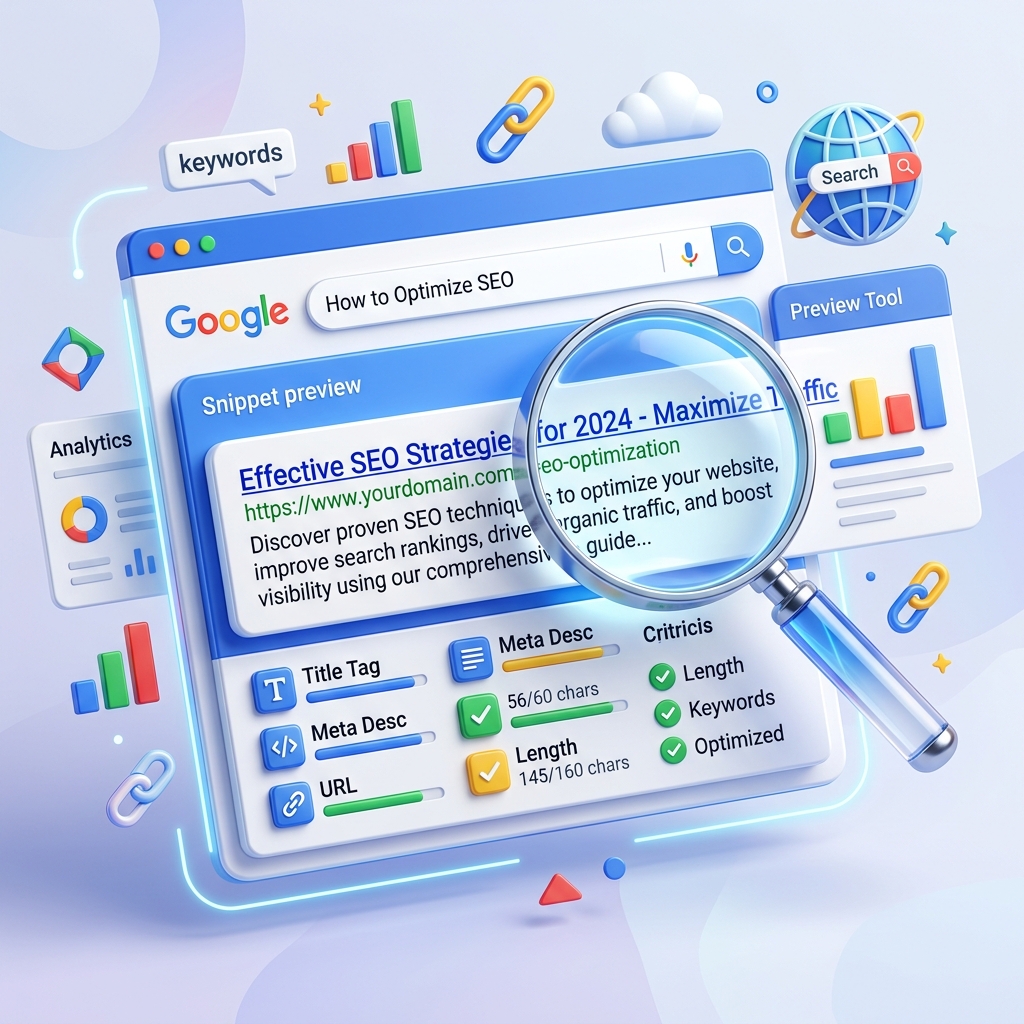
Before we dive into the tool itself, it is crucial to understand the fundamental building blocks of a Google search result. A standard organic SERP snippet consists of three primary elements:
1. The Title Tag (SEO Title)
The title tag is arguably the most critical component of your SERP snippet. It is the large, blue, clickable text that serves as the headline for your search result. Google uses the title tag to understand the main topic of your page, and searchers use it to determine if your page holds the answer to their query. Think of the title tag as the neon sign outside your digital storefront. If the sign is broken or hard to read, customers will walk right past it.
2. The Meta Description
Directly below the title tag and URL sits the meta description. This is a brief paragraph of text that summarizes the content of the page. While Google has explicitly stated that meta descriptions are not a direct ranking factor in their algorithmic calculations, they remain a massive conversion factor. A persuasive meta description acts as organic ad copy, compelling the user to click. It provides the “why” to the title tag’s “what.”
3. The URL / Breadcrumbs
Above the title tag (in mobile and recent desktop updates), Google displays the URL or breadcrumb trail of your page. A clean, readable URL structure builds trust. If your URL is filled with random numbers and parameters, it looks spammy and can deter clicks. Modern searchers are highly attuned to web security and relevance; a clear URL signals that your site is organized and authoritative.
When these three elements work in harmony, they create a magnetic snippet that draws users in. However, Google enforces strict spatial limits on these elements. If your text is too long, Google will cut it off with an ellipsis (…), which can completely ruin your meticulously crafted message. This is exactly why previewing your work is non-negotiable.
What is the Google SERP Snippet Preview Tool?
The Google SERP Snippet Preview is an advanced, web-based utility designed to simulate exactly how your web page will appear in Google’s search results. By entering your proposed title tag, meta description, and URL into the tool, you receive a real-time, pixel-perfect visual representation of your snippet.
Hosted on ZeroServerTools, a platform increasingly recognized for providing fast, reliable, and entirely free utilities for webmasters, this specific tool eliminates the guesswork from SEO copywriting. You no longer have to publish a page, wait for Google to index it, and then check the search results only to find out your title is cut off by three letters.
Why You Can’t Just Guess Your Lengths
In the early days of SEO, character counts were the golden rule. SEO professionals were strictly taught to keep titles under 60 characters and descriptions under 160 characters. However, the game has fundamentally changed. Today, Google does not measure snippets in characters; it measures them in pixels.
A wide letter like “W” or “M” takes up significantly more pixel space on the screen than a narrow letter like “i” or “l”. Therefore, a title containing 55 characters full of wide, capitalized letters might get aggressively truncated, while a title with 60 lowercase, narrow characters might fit perfectly. The ZeroServerTools snippet previewer calculates these pixel widths dynamically, ensuring you never suffer from the dreaded ellipsis of truncation.
Deep Dive into the Tool’s Core Features
When you navigate to the SERP Snippet Preview tool, you are greeted with a clean, distraction-free interface. Let’s break down the specific features that make this tool indispensable for modern content creators.
Real-Time Pixel and Character Tracking
As you type your title and description, the tool instantly updates a progress bar and numeric counter, indicating precisely how much space you have left. It provides an immediate feedback loop, turning red the moment you exceed Google’s pixel limits. This functionality allows you to intuitively tweak and adjust your copy on the fly without having to reload the page or guess where the cutoff point lies.
Desktop and Mobile View Toggles
Google’s search results look vastly different on a widescreen desktop monitor compared to a compact smartphone screen. Mobile screens have less horizontal space but often allow for slightly longer vertical text wrapping for descriptions. The ZeroServerTools previewer features a seamless toggle switch that lets you view your snippet in both Desktop and Mobile formats. Given that well over 60% of all global Google searches are now performed on mobile devices, optimizing for both display layouts is absolutely mandatory for success.
Keyword Bolding Simulation
When a user searches for a specific keyword phrase, Google often bolds that exact keyword (or very close synonyms) within the meta description of the organic results. This bold text naturally catches the human eye and significantly increases the click-through rate. The preview tool allows you to input your target keywords and see exactly how they will appear when bolded in the SERP, helping you strategically place those keywords for maximum visual impact.
Date Integration
For news articles, timely blog posts, and date-sensitive content, Google frequently displays the publication date right before the meta description text. This date takes up valuable pixel space. The preview tool intelligently allows you to simulate the inclusion of a date, ensuring that your core marketing message remains fully visible even when the publication date is appended to the front of the snippet.
The Psychology of the Click: Why SERP Optimization Matters
You might be asking yourself, “Is it really worth the effort to meticulously craft a title and description for every single page on my massive website?” The emphatic answer is yes. Here is a deep dive into why SERP snippet optimization remains a cornerstone of any winning SEO strategy.
1. Maximizing Organic Click-Through Rate (CTR)
Organic CTR is the percentage of people who click on your link after seeing it displayed in the search results. If 1,000 people see your snippet and 50 people click, your CTR is 5%. By utilizing the SERP Snippet Preview tool to create more engaging, emotionally resonant copy, you can conceivably increase that CTR to 8% or even 10%. That translates to doubling your organic traffic without having to build a single new backlink or improve your actual ranking position. It is the ultimate low-hanging fruit in SEO.
2. Sending Positive User Experience Signals to Google
While Google engineers remain characteristically tight-lipped about the exact weight of user experience signals in their core algorithm, widespread industry testing strongly suggests that a higher-than-average CTR can positively influence your rankings over time. If your page is currently sitting at position #4, but users consistently click on your result more frequently than the results at #2 or #3, Google’s machine learning algorithms will eventually recognize that your page is highly relevant and manually bump you up the ladder. Your snippet is the catalyst for this upward momentum.
3. Establishing Immediate Brand Authority and Trust
A meticulously crafted snippet that perfectly matches the user’s search intent builds immediate trust before they even land on your site. When a user sees a clear, descriptive title, a clean URL structure, and a meta description that promises a direct solution to their problem, they instinctively perceive your brand as authoritative. Conversely, truncated, randomly generated, or keyword-stuffed snippets look amateurish and actively drive potential customers straight into the arms of your competitors.
How to Write the Perfect SEO Title Tag
Your title tag is your billboard. It needs to be punchy, highly relevant, and perfectly sized for the screen. Here is a masterclass on crafting title tags using the preview tool to guide you.
Put Your Primary Keyword First
Search engine crawlers and human readers both scan text from left to right. By front-loading your primary keyword at the very beginning of the title tag, you immediately signal relevance to both the algorithm and the searcher. For example, instead of writing “A Comprehensive Review of the Best Coffee Brewing Methods in 2024,” rewrite it to “Coffee Brewing Methods: The Ultimate 2024 Review.” It is punchier, and the keyword hits the reader instantly.
Utilize Power Words and Emotional Triggers
Words that evoke a strong emotion or promise immense value dramatically increase clicks. Make a habit of incorporating words like Ultimate, Exclusive, Proven, Step-by-Step, Secret, Fast, Comprehensive, or Guaranteed. These modifiers turn a boring title into an irresistible proposition.
Stay Firmly Under the 600-Pixel Limit
This is where the ZeroServerTools SERP Snippet Preview truly shines. Ensure your title stays firmly within the “green” zone of the pixel counter. If the tool warns you that it’s too long, find creative ways to condense it. Swap out lengthy, multi-syllable words for shorter, sharper synonyms.
Always Add Your Brand Name
If you have pixel space remaining at the end of your title tag, always append your brand name separated by a pipe (|) or a hyphen (-). This builds passive brand recognition over time. Even if the user doesn’t click your link today, seeing your brand name repeatedly in the search results builds familiarity. Example: “Advanced SEO Techniques | YourBrand.”
Crafting Meta Descriptions That Convert
If the title tag grabs their attention, the meta description is what closes the deal. Think of it as a miniature sales pitch. It must be compelling, concise, and action-oriented.
Acknowledge the User’s Core Problem
Start your description by immediately showing the user that you deeply understand what they are looking for. Asking a direct question that relates to their search query is a fantastic way to establish this connection. For instance, “Struggling to improve your website’s organic traffic?”
Clearly Offer the Solution
Clearly and concisely state what they will find when they click the link. Be specific about the value proposition. Don’t just say “We sell running shoes.” Say “Browse our extensive collection of orthopedic running shoes specifically designed to eliminate knee pain for marathon runners.”
Include a Strong Call to Action (CTA)
Tell the user exactly what to do next. Do not leave it up to chance. Phrases like Read more, Discover the secrets, Shop the massive sale, Learn how today, or Find out why give the user a subtle but powerful psychological nudge to click your link right now.
Stay Within the 960-Pixel Limit (Approx. 155 Characters)
Use the preview tool to ensure your beautifully crafted pitch doesn’t get cut off mid-sentence. Absolutely nothing ruins a strong CTA like truncation. “Discover the secret to doubling your traffic by…” is a terrible place for an ellipsis. Use the tool to ensure your period lands safely within the visible area.
The Underrated Impact of URL Structure
Many webmasters completely ignore the URL slug, leaving it as a randomly generated string of parameters or an incredibly long sentence pulled directly from the post title. Modern searchers are savvy; they actively look at the URL to judge the credibility and organization of the destination website.
Keep It Extremely Short and Sweet
Remove all stop words (a, an, the, and, but, or) from your URL slugs. They add no value and only take up space. If your article title is “How to Bake a Delicious Chocolate Cake from Scratch,” your slug should simply be /bake-chocolate-cake/.
Avoid Dynamic Parameters Whenever Possible
URLs containing strings like ?id=12345&category=food&sort=price look suspicious, complicated, and untrustworthy to the average user. Implement clean, static, descriptive URL structures that tell the user exactly where they are.
Use Hyphens, Not Underscores
Google’s official documentation explicitly recommends using hyphens (-) to separate words in URLs, as their web crawlers treat hyphens as spaces. Conversely, underscores (_) combine words into one unrecognizable block for the algorithm.
You can preview exactly how your URL will display in the breadcrumb section of the ZeroServerTools previewer to ensure it looks clean, inviting, and professional.
Integrating the Preview Tool into Your Standard Operating Procedure (SOP)
To extract the maximum value out of the SERP Snippet Preview tool, you must make it a mandatory, non-negotiable step in your daily content publishing workflow. Here is a sample workflow you can implement today:
1. The Drafting Phase: After you have fully written and edited your article, but before you hit the publish button, open up the preview tool in a new tab.
2. Brainstorming Titles: Write out 3 to 5 distinct variations of your proposed title tag. Paste them one by one into the tool to see which one looks the most visually appealing and impactful.
3. Refining the Description: Draft your meta description, ensuring the primary keyword is included (so you can visualize it bolding) and a strong CTA is placed at the end. Intensely monitor the pixel width.
4. The Mobile Check: Toggle the interface to the mobile view. Does the snippet still look good on a smaller, constrained screen? Does it compel you to click?
5. Final Implementation: Once you have settled on the perfect combination of title, description, and URL, copy and paste that exact data into your Content Management System (like WordPress, using popular SEO plugins like Yoast or RankMath) and confidently hit publish.
By institutionalizing this exact process across your team, you guarantee that every single page published on your website is fully optimized for maximum CTR from day one.
Common Snippet Mistakes You Must Avoid at All Costs
Even highly experienced marketers make critical mistakes when crafting SERP snippets. Here are the major pitfalls you need to actively watch out for:
1. Blatant Keyword Stuffing
Cramming your title and description with endless variations of your target keyword looks incredibly spammy and desperate. For example: “Cheap shoes, buy cheap shoes, cheap shoes online here.” This will not only aggressively deter users from clicking, but it can also incur severe algorithmic penalties from Google. You must write naturally for human beings first, and search engine robots second.
2. Clickbait Without Delivery
Writing a sensationalized, shocking title solely to generate clicks is a valid strategy only if the underlying content actually delivers on that massive promise. If you promise “The Secret to Curing Back Pain Overnight” and the article is just about buying a new mattress, users will immediately click the “back” button on their browser. This rapid exit (known in SEO as “pogo-sticking”) signals to Google that your page is completely irrelevant to the query, which will inevitably tank your rankings.
3. Ignoring the Searcher’s True Intent
If the user is searching for “Buy Nike Air Max online,” their intent is strictly transactional; they want to spend money. If your meta description talks vaguely about “The rich history of Nike running shoes,” you are completely missing the intent. Always align your snippet copy directly with what the searcher is actually trying to achieve (whether that is informational, navigational, or transactional).
4. Relying on Auto-Generated Descriptions
Far too many CMS platforms are configured to automatically pull the first 150 characters of your page’s body text to use as the default meta description. This is almost always a total disaster. The opening sentence of an article rarely functions well as a standalone, persuasive sales pitch. You must take the time to write custom, handcrafted descriptions for every important page.
The Evolution of Search: Why Tools Like This Are Future-Proof
Google’s search engine results pages are not static; they are in a state of constant, rapid evolution. Over the past few years, we have witnessed the widespread introduction of featured snippets, “People Also Ask” drop-down boxes, AI-generated Overviews, massive image carousels, and highly localized map packs.
However, through all of these massive visual changes and algorithmic updates, the foundational organic “ten blue links” remain heavily reliant on the classic Title, URL, and Meta Description structure.
As Google intentionally introduces more visual clutter and rich elements to the SERPs, standing out in the standard organic listings becomes vastly harder—and vastly more necessary. A visually perfect snippet created using the ZeroServerTools SERP Snippet Preview ensures that even amidst a chaotic, cluttered search results page, your listing commands authority, attention, and respect.
Furthermore, as a highly dedicated platform, ZeroServerTools continuously and meticulously updates its utilities to reflect the very latest changes in Google’s pixel limits and complex display algorithms, ensuring you are always working with the most accurate, up-to-date data available anywhere on the internet.
Conclusion
In the highly nuanced world of technical and on-page SEO, the absolute smallest details often yield the most significant, revenue-generating results. You can easily spend thousands of dollars on premium content creation and elaborate link-building outreach campaigns, but if your SERP snippet is visually unappealing or truncated, your return on investment will inevitably plummet.
The title tag and meta description are your ultimate hooks. They are the gateway between a user browsing Google and a user actively engaging with your brand.
By strategically utilizing the Google SERP Snippet Preview tool, you immediately take back full control of your search engine appearance. You transition from merely hoping your snippet looks acceptable to absolutely knowing it looks flawless. Whether you are a solo blogger trying to grow an audience, a small business owner fighting for local visibility, or an enterprise SEO specialist managing millions of pages, making this tool a regular, deeply ingrained part of your optimization routine is a surefire way to dramatically increase your organic click-through rates, drive exponentially more targeted traffic, and ultimately grow your digital empire.
Don’t leave your first impression up to algorithmic chance. Start optimizing your search presence today by visiting ZeroServerTools.
Frequently Asked Questions (FAQs)
1. What exactly is a SERP snippet?
A SERP (Search Engine Results Page) snippet is the exact visual preview of your individual webpage that appears within Google’s organic search results. It is the core mechanism users use to decide what to click. It typically consists of a prominent, clickable Title Tag (usually displayed in blue), the page URL or breadcrumb trail (usually green or black), and a short Meta Description (in black text) that summarizes the core content of the destination page.
2. Why does the ZeroServerTools previewer strictly use pixel width instead of the old character count method?
Google’s interface allocates a very specific amount of physical screen space (measured mathematically in pixels) for titles and descriptions, rather than a set number of characters. Because different alphabetic characters have vastly different physical widths (e.g., a capital “W” is much wider than a lowercase “i”), character counts are highly inaccurate and obsolete. The modern pixel-width approach provides an exact, real-world simulation of what will actually fit on the screen before Google is forced to truncate the text.
3. Does Google always use the exact meta description I provide in my HTML code?
No, not always. Google’s sophisticated algorithm may choose to dynamically generate a entirely different snippet pulled directly from the body text on your page. They usually do this if the algorithm believes that specific section of text better answers the individual user’s highly specific search query. However, providing a highly relevant, exceptionally well-crafted meta description drastically increases the statistical probability that Google will choose to use yours instead of an auto-generated one.
4. Is the SERP Snippet Preview Tool completely free to use?
Yes, the SERP Snippet Preview tool hosted exclusively on ZeroServerTools is entirely free to use for anyone. There are no hidden paywalls or subscription fees. You can perform as many individual previews, edits, and tests as you need to perfect your site’s metadata without incurring any cost whatsoever.
5. What physically happens on the search page if my Title Tag is too long?
If your title tag exceeds Google’s allotted pixel limit (which is typically hovering around 600 pixels on standard desktop displays), Google’s interface will aggressively truncate it, ending your title with an ellipsis (…). This unfortunate truncation can cut off crucial keywords, dilute your marketing message, and inevitably result in a significantly lower click-through rate compared to a fully visible title.
6. Can a great, optimized SERP snippet actually improve my Google rankings?
While the literal text contained within your meta description is not considered a direct, algorithmic ranking factor, a highly compelling snippet drastically increases your Organic Click-Through Rate (CTR). A high relative CTR is widely considered a highly positive user experience signal to Google. If your link consistently gets clicked more often than the links ranked directly above you, Google’s machine learning systems may promote your page to a higher ranking over time to better satisfy search intent.
7. Should I use emojis in my Title Tags and Meta Descriptions to stand out?
Using emojis in the SERPs can be a massive double-edged sword. While they can certainly draw visual attention and temporarily improve CTR, Google frequently ignores them or actively strips them out of the search results entirely if their algorithm deems them irrelevant, excessive, or spammy. If you choose to experiment with them, do so extremely sparingly and ensure they are highly relevant to the actual content. Always preview them first using a reliable tool before pushing them live.
8. How often should I audit and update my existing SERP snippets?
You should regularly and methodically audit the SERP snippets of your most important, high-traffic pages—especially those currently ranking somewhere on page 1 but not sitting in the top 3 spots. If a specific page has a high number of impressions but a disappointingly low CTR (data which you can easily check for free in your Google Search Console account), tweaking and testing a new title and meta description using the preview tool is an incredibly effective strategy to capture significantly more traffic without needing to rewrite the entire article.
9. Does the tool account for differences between desktop and mobile SERP layouts?
Absolutely. This is one of its most critical features. Because Google displays vastly different pixel widths and character limits depending on the device the searcher is using, the ZeroServerTools previewer includes a dedicated toggle. This allows you to instantly switch between a desktop simulation and a mobile simulation, ensuring your snippet looks professional and compelling no matter how your audience is searching.