
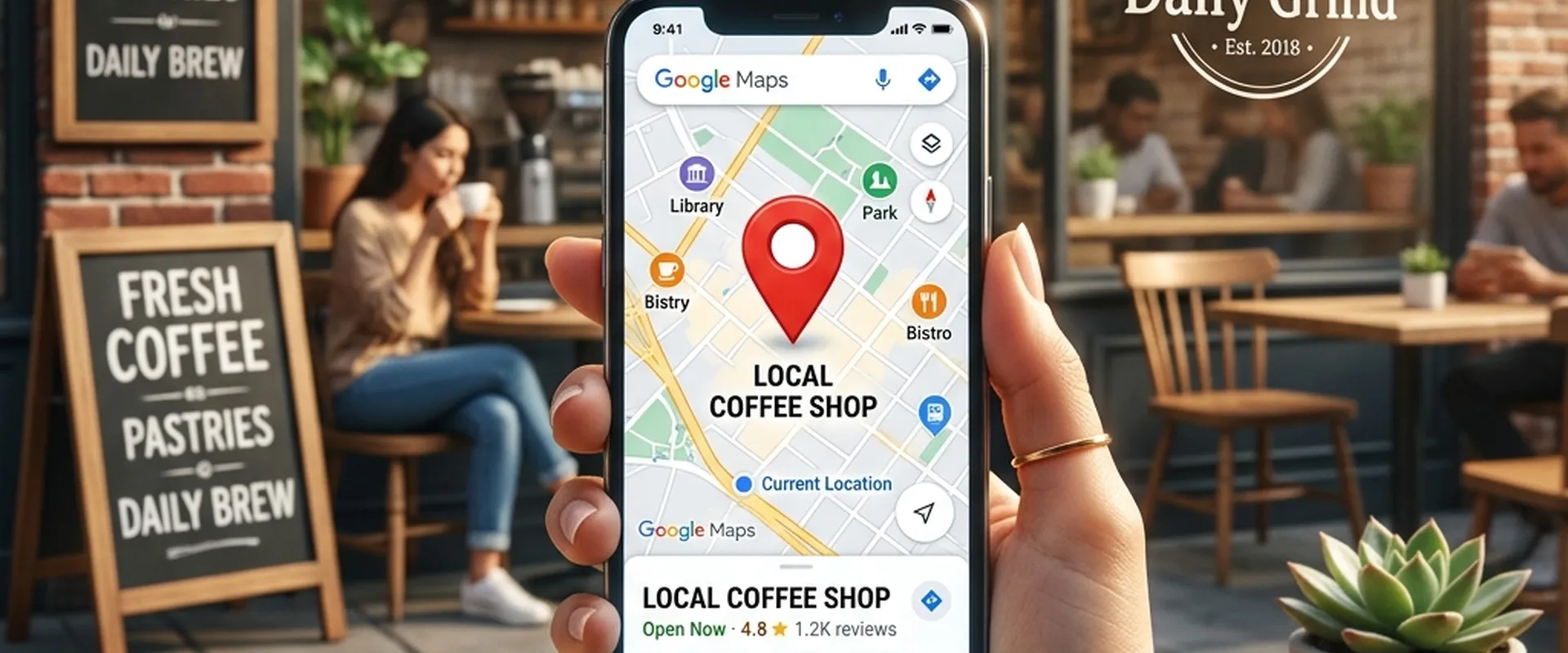
Imagine a potential customer standing on a street corner, pulling out their smartphone, and searching for "best coffee shop near me" or "emergency plumber [Your City]." They are not casually browsing; they have high commercial intent and an immediate need. When they hit search, a small, highly coveted map appears at the top of the search results displaying exactly three businesses. This is known as the Google Local Pack (or the "Map Pack").
If your business is not one of the three listed in that map, you are losing a massive percentage of your potential revenue to your local competitors. In fact, studies show that nearly 44% of total clicks for a local search go directly to the Google Local Pack.
Ranking #1 on Google Maps does not happen by accident. It is not about having the prettiest website or the biggest physical storefront. It requires a meticulous, calculated Local Search Engine Optimization (SEO) strategy. Google's local algorithm is distinct from its traditional organic algorithm. It prioritizes different signals to determine which businesses deserve to be shown to local searchers.
In this deep-dive, we will break down exactly how Google's local algorithm works and provide a step-by-step masterclass on how to propel your business to the #1 spot on Google Maps.
Understanding the 3 Pillars of Google’s Local Algorithm
Before you can optimize your web presence, you must understand how Google evaluates local businesses. When a user conducts a local search, Google relies on three primary ranking factors: Relevance, Distance, and Prominence.
1. Relevance
Relevance refers to how well a local Business Profile matches what someone is searching for. If a user searches for "Italian restaurant," Google will not show a Mexican restaurant, no matter how close or popular it is. To maximize relevance, your digital footprint must explicitly communicate exactly what products or services you offer.
2. Distance (Proximity)
Distance is simply how far each potential search result is from the location term used in a search. If a user does not specify a location in their search (e.g., just typing "dentist"), Google calculates distance based on what it knows about their current location via GPS or IP address. While you cannot control where a user is physically standing, you can firmly establish your physical coordinates in Google's database.
3. Prominence
Prominence refers to how well-known a business is. Some places are more prominent in the offline world—landmark hotels, famous museums, or massive department stores—and Google tries to reflect this in local rankings. However, in the digital realm, prominence is largely based on information Google pulls from across the web. This includes links (backlinks), articles, directories (citations), and most importantly, your review count and review score.
Now that we understand the rules of the game, let's execute the strategy.
Step 1: Claiming and Bulletproofing Your Google Business Profile (GBP)
Your Google Business Profile (formerly known as Google My Business) is the absolute foundation of your Local SEO strategy. It is the actual listing that appears in Google Maps. Optimizing it is non-negotiable.
Claiming and Verifying
If you haven't already, go to google.com/business and claim your listing. Google will usually require verification via a postcard sent to your physical address or a video verification showing the interior and exterior of your storefront.
Mastering NAP Consistency
NAP stands for Name, Address, and Phone number.
Your NAP is your business's digital fingerprint. It must be 100% identical across the entire internet. If your GBP says "Smith & Sons Plumbing, LLC" but your website says "Smith Plumbing," and your Yelp profile says "Smith's Plumbing Services," Google gets confused. When Google's algorithm is confused, it drops your rankings to protect the searcher from bad information.
Write your exact NAP down in a document and use copy-paste whenever you create a new profile online.
Selecting the Perfect Primary Category
Your primary category is one of the strongest ranking factors in Local SEO. Be as specific as possible. If you run a law firm that only handles divorces, do not choose "Lawyer" as your primary category; choose "Divorce Lawyer." You can select secondary categories as well to cover other services you offer, but the primary category carries the most weight.
Optimizing the Business Description
You have 750 characters to describe your business. Use this real estate wisely. The first 250 characters are the most crucial as they are immediately visible. Weave your core local keywords naturally into this description. For example, instead of saying "We fix cars," say, "We are the premier auto repair shop serving downtown Chicago, specializing in transmission repair and brake replacements."
Uploading High-Resolution Photos and Videos
Google's vision AI scans the photos you upload. Furthermore, listings with photos receive 42% more requests for driving directions and 35% more clicks through to their websites than businesses that do not.
- Exterior Photos: Help customers find your building.
- Interior Photos: Showcase the atmosphere (vital for restaurants and retail).
- Product/Service Photos: Show your team in action.
- Team Photos: Humanize your brand.
Pro-tip: Rename your image files before uploading them. Instead of uploading IMG_4829.jpg, rename it to chicago-auto-repair-shop.jpg.
Step 2: The Art and Science of Google Reviews
Reviews are the ultimate currency in Local SEO. They directly impact your Prominence score and serve as massive conversion triggers for human users. A business with a 4.8-star average and 300 reviews will almost always outrank a business with a 5.0-star average but only 2 reviews.
Review Velocity and Recency
Google looks at the speed and consistency at which you acquire reviews. Getting 50 reviews in one day and zero for the rest of the year looks like spam. A steady trickle of 2 to 3 new reviews a week shows that your business is consistently active and satisfying customers.
Keywords in Reviews
When customers mention specific services or products in their reviews, it drastically boosts your relevance for those terms. For instance, if a reviewer writes, "They did an amazing job with my roof leak repair," your listing gets a major ranking boost whenever someone nearby searches for "roof leak repair."
When asking for reviews, gently prompt your customers. Say something like, "If you have a minute, we'd love a review. It really helps if you mention the specific service we provided for you today!"
How to Ask for Reviews Without Being Awkward
Do not buy fake reviews. It violates Google's terms of service and will get your listing suspended. Instead, build a review generation engine into your business operations:
- Timing is Everything: Ask for the review immediately after a successful transaction or service completion when the customer is happiest.
- Use SMS and Email: Send an automated text message or email with a direct, shortened link to your Google review page. (You can generate this link directly from your GBP dashboard).
- QR Codes: If you have a physical location, print a QR code that links to your review page and place it on receipts, business cards, or a stand on the checkout counter.
Responding to EVERY Review
You must respond to every single review you receive—both positive and negative.
- For positive reviews: Thank the customer by name and reiterate the service. ("Thanks John! We loved helping you install the new hardwood floors in your kitchen.")
- For negative reviews: Never argue. Apologize for the poor experience, take responsibility, and offer an offline contact method to resolve the issue. ("Hi Sarah, I am so sorry to hear your meal wasn't up to our usual standards. Please call us at 555-0192 so we can make this right.") This shows future customers that you care about accountability.
Step 3: Local Citations and Directory Listings
A citation is any online mention of the name, address, and phone number of your local business (your NAP). Citations occur on local business directories, on websites and apps, and on social platforms. They act as independent verification for Google that your business actually exists where you say it does.
The Big Data Aggregators
In the US, there are primary data aggregators (like Data Axle, Foursquare, and Neustar Localeze) that distribute business data to hundreds of smaller directories. If your NAP is correct with the aggregators, it trickles down to the rest of the web.
Core Citations You Must Have
Manually create and verify listings on the top-tier directories:
- Apple Maps (Crucial for iPhone users)
- Bing Places for Business
- Yelp
- Facebook (Local Business Page)
- YellowPages (YP.com)
- Foursquare
- Better Business Bureau (BBB)
Hyper-Local and Niche Citations
Do not just stick to the massive national directories. Hyper-local citations carry incredible weight for Prominence.
- Get listed on your local Chamber of Commerce website.
- Sponsor a local little league team and get a link on their sponsor page.
- Find niche-specific directories (e.g., Avvo for lawyers, Healthgrades for doctors, HomeAdvisor for contractors).
Cleaning Up Duplicate Listings
If you moved locations or changed phone numbers in the past, you likely have inconsistent or duplicate citations floating around the web. You must audit your citations (using tools like BrightLocal, Moz Local, or Whitespark) and aggressively fix any discrepancies. Remember: NAP consistency is king.
Step 4: On-Page Local SEO For Your Website
Your Google Business Profile does not operate in a vacuum. Google aggressively crawls the website linked to your GBP to gather more context about your business. If your website's Local SEO is weak, your Maps ranking will suffer.
1. Location-Specific Landing Pages
If you operate in multiple cities (e.g., Dallas, Fort Worth, and Arlington), do not just list them all on one generic "Areas We Serve" page. Create dedicated, highly detailed landing pages for each specific city.
A Dallas page should talk specifically about Dallas, include photos of your team working in Dallas, showcase Dallas-specific customer reviews, and have a unique Dallas title tag (e.g., <title>Best Plumber in Dallas, TX | Smith Plumbing</title>).
2. Embed a Google Map
On your "Contact Us" page and your location-specific landing pages, embed the interactive Google Map of your exact GBP listing. This firmly ties your website’s URL to your Maps entity in Google’s eyes.
3. Implement Local Business Schema Markup
Schema markup (or structured data) is a type of code you inject into your website's backend that speaks directly to search engines. It formats your NAP, business hours, coordinates, and reviews in a language Google's bots instantly understand. You can use free online Schema generators to create this JSON-LD code and paste it into the <head> of your website.
4. Optimize Internal Linking and Indexing
Your website’s architecture matters. Ensure that your home page links smoothly to your location pages, and your location pages link to your specific service pages. This "silo structure" helps pass authority throughout your site.
Crucially, if Google cannot index your location pages, all your hard work is wasted. It is very common for businesses to launch new service area pages, only to find they aren't showing up in search results. When executing an expansive local content strategy, you must monitor your Google Search Console diligently. If you run into issues, read this comprehensive guide on how to find and fix indexing issues in Google Search Console. Ensuring your local landing pages are properly crawled and indexed is a mandatory step for organic map visibility.
Step 5: Building Local Authority Backlinks
In traditional SEO, you want backlinks from high-Domain Authority websites like Forbes or the New York Times. In Local SEO, relevance trumps massive authority. Google wants to see that you are an active, recognized member of your specific local community.
How to Get Local Backlinks:
- Local News PR: Do something newsworthy. Host a charity drive, offer a free workshop, or give away a scholarship. Send a press release to local newspapers and radio station websites. A backlink from a local city news outlet is pure gold for Maps rankings.
- Local Bloggers and Influencers: Find bloggers who write about your city. Offer them a free product or service in exchange for an honest review and a link on their blog.
- Neighboring Businesses: Partner with non-competing businesses in your area. If you are a wedding photographer, partner with local florists and wedding venues to create a "Local Vendor Resource Page" where you all link to each other.
- Alumni Directories: If you graduated from a local university, see if they have an alumni business directory that provides backlinks.
Step 6: Maximizing Google Posts and the Q&A Section
Google has transformed the Business Profile into a mini social media feed. Active profiles rank higher than dormant ones.
Google Posts
Use the "Posts" feature inside your GBP dashboard to share updates, offers, and events directly on the search engine results page.
- Create a post at least once a week.
- Highlight a "Product of the Month."
- Share photos of recent jobs completed.
- Announce holiday hours or limited-time discounts.
Posts expire after seven days, which is why consistency is required. It signals to Google that the lights are on and the business is actively engaging with the public.
The Q&A Section
Anyone with a Google account can ask a question on your GBP, and anyone can answer it. Do not let random internet users answer questions about your business!
Proactively manage this section. In fact, you can (and should) ask your own questions from a personal account and answer them from your business account. Create a mini-FAQ right on Google Maps.
Ask things like:
- "Do you offer free estimates?"
- "Is there parking available?"
- "Are you wheelchair accessible?"
Answer them thoroughly and politely. This provides an excellent user experience and gives you another opportunity to naturally weave in keywords.
Common Local SEO Mistakes That Will Destroy Your Rankings
Even if you do everything right, falling into a few common traps can trigger a Google penalty or a listing suspension.
1. Keyword Stuffing Your Business Name
It is incredibly tempting to change your GBP name from "Smith Dental" to "Smith Dental - Best Dentist in Los Angeles Affordable Teeth Whitening." Do not do this. It is a direct violation of Google’s guidelines. If a competitor reports you, your listing will be instantly suspended, and you will disappear from the map entirely. Use your exact real-world business name.
2. Using P.O. Boxes or Virtual Offices
Google Maps is for physical businesses that either see customers at their location or travel to customers locally (Service Area Businesses like plumbers). You cannot use a P.O. Box at the local post office or a shared virtual office space (like WeWork) to game the system and rank in a city where you don't actually exist. Google's algorithms are excellent at detecting and banning these.
3. Setting and Forgetting
Local SEO is not a one-time project; it is an ongoing marketing channel. Competitors are constantly getting new reviews, updating their photos, and building new citations. If you optimize your profile and never touch it again, your rankings will slowly decay over time.
Frequently Asked Questions (FAQs)
A: No. If you are a Service Area Business (SAB) like a mobile dog groomer, a locksmith, or an electrician, you can still rank. When setting up your GBP, you can choose to hide your physical address and instead define a "Service Area" (e.g., a 20-mile radius around your city).
Q: How long does it take to rank in the Local Pack?A: If you are in a low-competition area, you might see results in a few weeks. In highly competitive niches in major cities (e.g., "personal injury lawyer New York"), it can take 6 to 12 months of aggressive review generation, citation building, and website optimization to break into the top three.
Q: Should I pay companies that guarantee a #1 spot on Google Maps?A: Absolutely not. No one can guarantee a #1 ranking on Google, as Google's algorithm is proprietary and constantly changing. Agencies that promise overnight #1 rankings usually use black-hat tactics (like fake reviews or keyword stuffing) that will eventually get your business banned from Google.
Q: How does my website's mobile responsiveness affect my Map rankings?A: Hugely. The vast majority of "near me" local searches happen on mobile devices. If a user clicks from the Map Pack to your website and it is slow, broken, or unreadable on a phone, they will immediately "bounce" back to Google. Google tracks this behavior and will demote your ranking if your website provides a poor mobile experience.
Q: Can I have multiple Google Business Profiles for the same business?A: Only if you have multiple, distinct physical locations with their own permanent signage, distinct phone numbers, and separate staff. You cannot create multiple profiles for the same location just to target different keywords.