
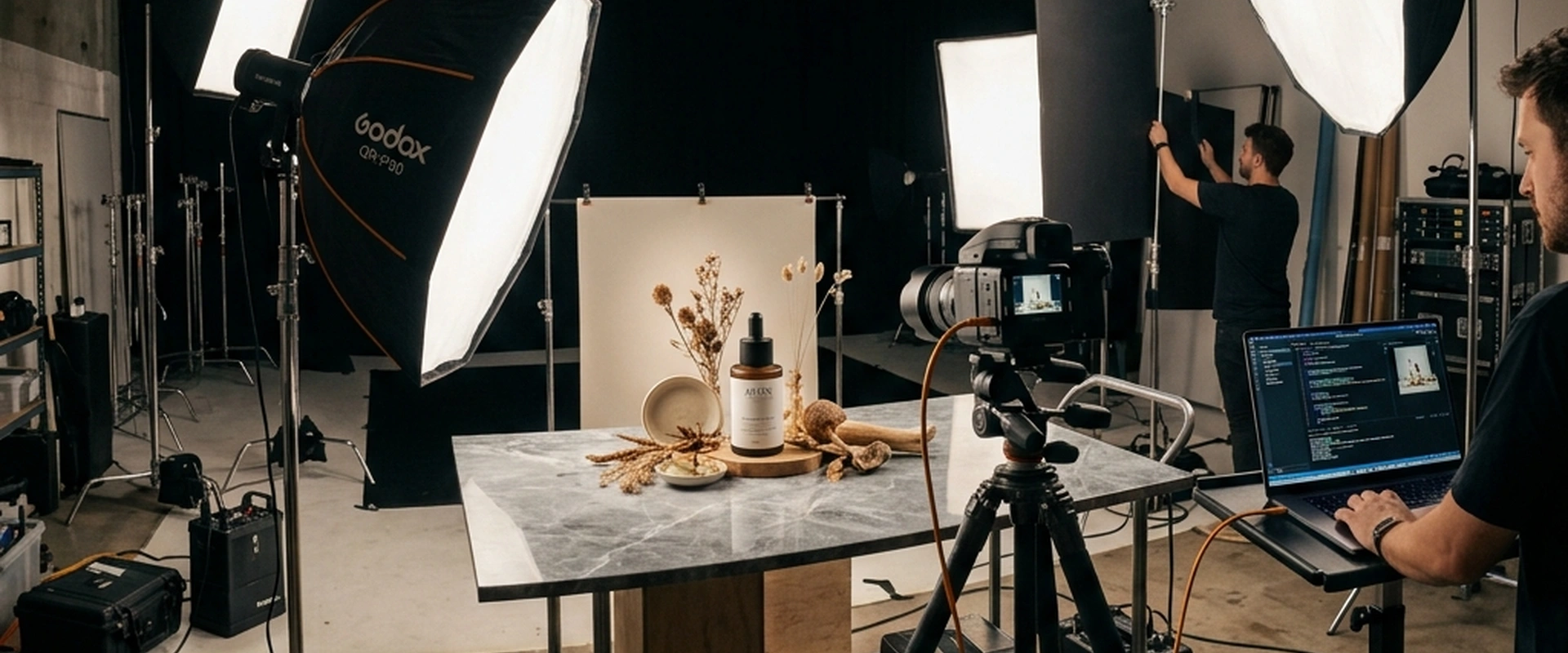
If you run an online store, manage a brand's social media, or work in digital marketing, you already know the harsh truth: humans are visual creatures, and bad product photos will kill your sales faster than a broken checkout page. Traditionally, getting top-tier product photography meant renting a studio, hiring a professional photographer, sourcing props, managing lighting equipment, and spending days in post-production. It is an expensive, time-consuming bottleneck that many small businesses and independent creators simply cannot afford.
Enter generative AI.
With the rapid evolution of artificial intelligence, particularly Google's Gemini, the landscape of commercial photography has been completely rewritten. You no longer need a $5,000 DSLR camera and a seamless white backdrop to create scroll-stopping images. Instead, you just need words. The right words, structured in the right way, can conjure up photorealistic, high-resolution product images that rival top advertising agencies.
However, there is a catch. If you just type "picture of a coffee cup" into Gemini, you are going to get a generic, clearly AI-generated image that looks cheap and uninspired. To get professional results, you need to speak the language of photography. You need to understand lighting, focal lengths, set design, and mood.
In this comprehensive guide, we are going completely under the hood. We will explore the exact anatomy of a perfect prompt, look at the five best Gemini prompts for product photography across different styles, and discuss how to refine your workflow so your images are 100% unique, human-feeling, and ready for your next major marketing campaign.
The Paradigm Shift: Why AI is the Future of Product Photography
Before we dive into the specific prompts, it is worth understanding why this shift is happening and why Gemini is particularly well-suited for the task.
For years, the e-commerce industry relied heavily on drop-shipped stock photos or expensive custom shoots. When tools like Midjourney, DALL-E, and eventually Gemini entered the scene, early adopters quickly realized the potential for massive cost savings. But early AI images suffered from glaring issues: weird artifacts, floating objects, impossible geometry, and a distinct "plastic" look that consumers quickly learned to spot.
Today, Gemini's image generation capabilities have matured significantly. Because Gemini is built on Google's vast understanding of human language, it excels at interpreting conversational nuance. You do not need to memorize a bizarre syntax of dashes and numbers; you just need to describe the scene vividly.
The benefits are undeniable: 1. Infinite Iteration: Don't like the shadow on the left? Ask Gemini to move the light source. Want the product on a marble counter instead of wood? It takes two seconds to change. 2. Cost-Efficiency: You bypass location scouting, equipment rentals, and model fees. 3. Speed to Market: You can ideate, generate, and publish a new ad campaign in a single afternoon.
But to harness this power, you need to stop thinking like a writer and start thinking like a photographer.
The Anatomy of a High-Converting Prompt
The biggest mistake beginners make is keeping their prompts too brief. A professional photographer doesn't just put a product on a table and click the shutter. They consider the lens, the aperture, the primary light source, the fill light, the background, the color palette, and the overall mood. Your Gemini prompts must do the same.
A highly effective product photography prompt generally follows this formula:
[Subject/Product] + [Setting/Background] + [Lighting] + [Camera Details/Angles] + [Style/Mood]
Let's break these down:
1. The Subject
Be incredibly specific. Don't say "a bottle of perfume." Say "a sleek, minimalist, rectangular glass perfume bottle with a matte black magnetic cap, filled with amber liquid."
2. The Setting
Where does this product live? Is it floating in a void of pure white, sitting on a rustic wooden farmhouse table, or resting on a slab of wet obsidian? Context gives your product scale and emotional resonance.
3. Lighting
Lighting makes or breaks photography. If you ignore this, the AI will guess, usually resulting in flat, uninteresting images. Use terms like: - Cinematic lighting: Dramatic, high contrast. - Studio softbox lighting: Even, soft, flattering shadows. - Golden hour lighting: Warm, directional sunlight typical of late afternoon. - Chiaroscuro: Strong contrast between light and dark.
4. Camera Details
AI models understand photographic terminology. Tell Gemini what "lens" to use. - Macro lens (e.g., 100mm): For extreme close-ups showing texture. - Wide-angle (e.g., 24mm): To show a lot of the environment (use cautiously for products as it can distort them). - Portrait lens (e.g., 50mm or 85mm): The sweet spot for realistic product shots. - Depth of Field: Use terms like "shallow depth of field," "blurred background," or "bokeh" to make the product pop.
5. Style and Mood
Adjectives matter. Words like "luxurious," "ethereal," "gritty," "minimalist," or "vibrant" act as the final color grading filter for your image.
Now that we have established the ground rules, let's look at the five best Gemini prompts for product photography, tailored for different marketing needs.
Prompt 1: The E-Commerce Studio Essential (Clean & Minimal)
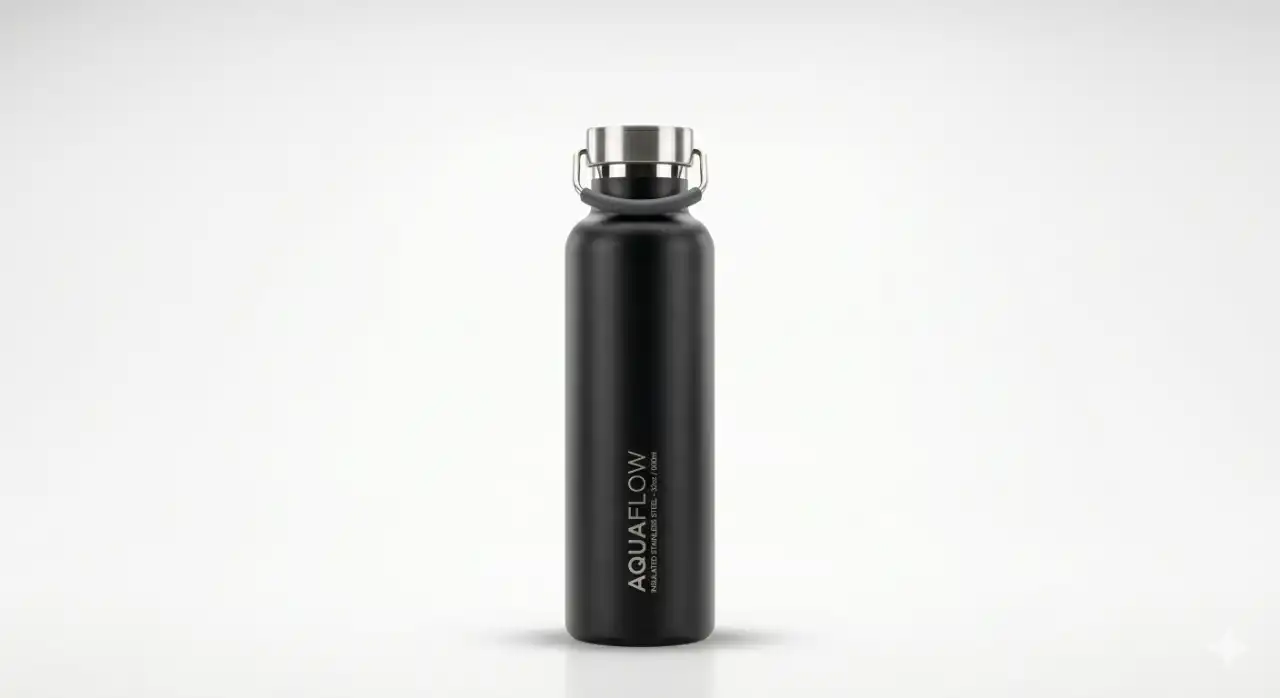
Every brand needs clean, distraction-free images for their primary product pages (like Shopify or Amazon listings). The goal here is clarity, accurate representation, and absolute focus on the item itself.
The Prompt:
"A professional studio product photograph of a [INSERT PRODUCT DESCRIPTION, e.g., sleek matte white ceramic coffee mug]. The product is placed in the center against a seamless, pure white background. The lighting is provided by large studio softboxes, creating even, diffused illumination with very soft, subtle drop shadows underneath the object to ground it. Shot on an 85mm lens, f/5.6 aperture, sharp focus across the entire product. High resolution, hyper-realistic, commercial e-commerce photography style, neutral color palette."
Why This Works:
This prompt strips away all the environmental noise. By specifying "studio softboxes" and "diffused illumination," you tell Gemini to avoid harsh, distracting shadows. The "soft drop shadows" instruction is crucial—without it, the product might look like it's awkwardly floating in space. The 85mm lens combined with an f/5.6 aperture mimics how a real photographer would capture a product to ensure the entire item is in focus (unlike a very wide f/1.8 aperture which might blur the edges).
Customization Tips:
· Change the background to "seamless pastel pink backdrop" for a softer brand identity.
· Add "reflective acrylic surface" for a high-end cosmetic look.
Prompt 2: The Aspirational Lifestyle Context
Consumers don't just buy products; they buy better versions of themselves. Lifestyle photography places your product in a realistic, relatable setting, helping the customer visualize owning it. This is perfect for Instagram feeds, Facebook ads, and website hero banners.
The Prompt:
"A high-end lifestyle product photograph of [INSERT PRODUCT, e.g., a premium leather bound journal]. The item is resting casually on a rustic oak wooden cafe table. Next to it is a steaming cup of latte art and a pair of tortoiseshell reading glasses. The setting is a cozy, sunlit modern coffee shop next to a large window. Natural golden hour sunlight is streaming in from the left, casting long, warm shadows across the table. Shallow depth of field, blurred background showing soft bokeh of the cafe interior. Shot with a 50mm lens, f/1.8 aperture. Warm, inviting, cozy aesthetic, photorealistic."

Why This Works:
This prompt tells a story. It doesn't just show a journal; it sells a Sunday morning routine. By dictating the exact light source ("natural golden hour sunlight from the left"), you force the AI to create cohesive, realistic lighting that makes the image feel incredibly human and organic. The specific aperture ("f/1.8") and instructions for "shallow depth of field" ensure that the coffee shop background melts into an attractive blur (bokeh), keeping the viewer’s eye locked dead center on your product.
Customization Tips:
· Swap the environment to match your audience. For a fitness product: "resting on a rubber gym floor next to a kettlebell, moody overhead gym lighting."
· For skincare: "sitting on a marble bathroom vanity next to a pristine white towel, bright morning sunlight."
Prompt 3: The Dramatic & Moody Aesthetic
Sometimes you need to make a statement. For luxury goods, tech gadgets, colognes, or high-end beverages, bright and sunny just doesn’t cut it. You need drama, contrast, and edge.
The Prompt:
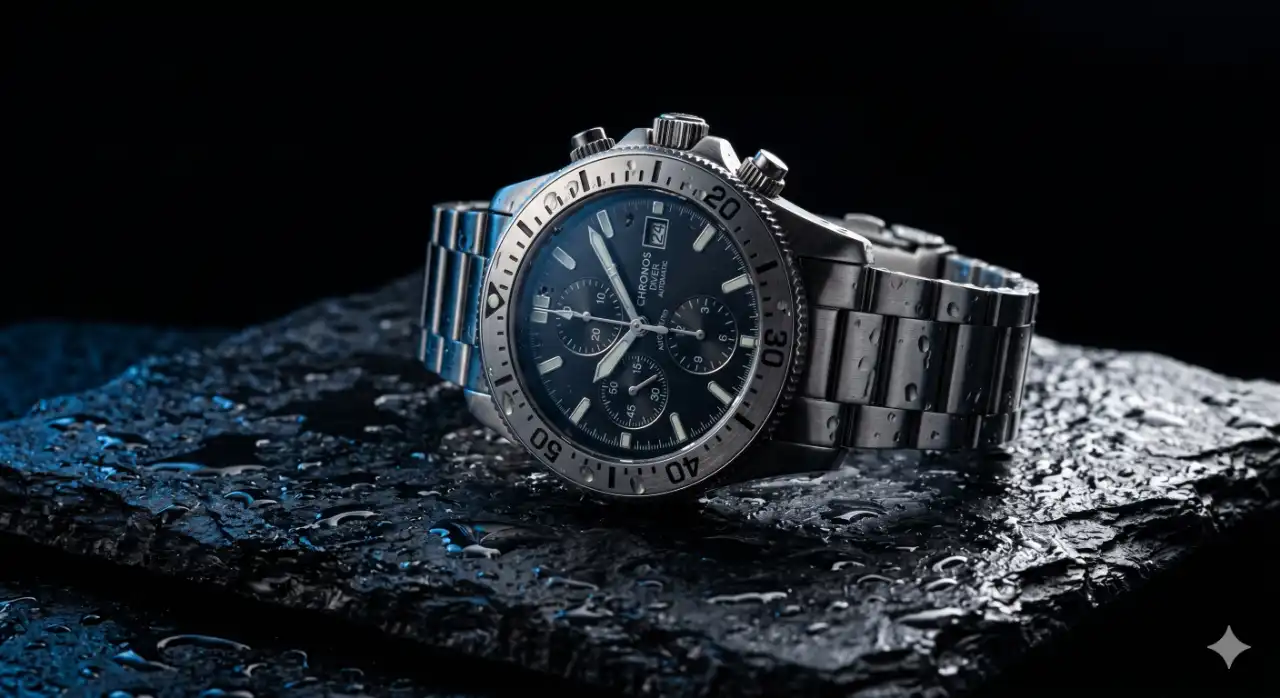
"A dramatic, cinematic product photograph of [INSERT PRODUCT, e.g., a sleek metallic men's chronograph watch]. The product is sitting on a slab of rough, wet dark slate. The background is completely black. The lighting is low-key, featuring a single harsh rim light from the back right to highlight the metallic edges of the product, and a subtle blue fill light from the left. Moody, atmospheric, chiaroscuro lighting. Water droplets are visible on the slate surface. High contrast, hyper-detailed, 8K resolution, luxury advertising photography."
Why This Works:
This prompt leans heavily into lighting techniques used in high-end luxury advertising. "Low-key lighting" and "chiaroscuro" are terms that instruct the AI to embrace deep shadows. The "rim light" (a light placed behind the subject) is a classic photographer's trick to separate a dark object from a dark background, highlighting its silhouette and texture. Adding details like "wet dark slate" and "water droplets" introduces tactile textures that make the image feel tangible and expensive.
Customization Tips:
· Change the base material to "polished black obsidian" or "dark brushed steel."
· Introduce atmospheric elements like "wisps of subtle smoke" or "floating dust particles in a light beam."
Prompt 4: The Flat Lay / Top-Down View
Flat lays are incredibly popular for Pinterest, fashion brands, cosmetics, and food photography. They involve shooting straight down onto an arranged collection of items. This style is excellent for showing off a collection, demonstrating ingredients, or presenting a vibe.
The Prompt:
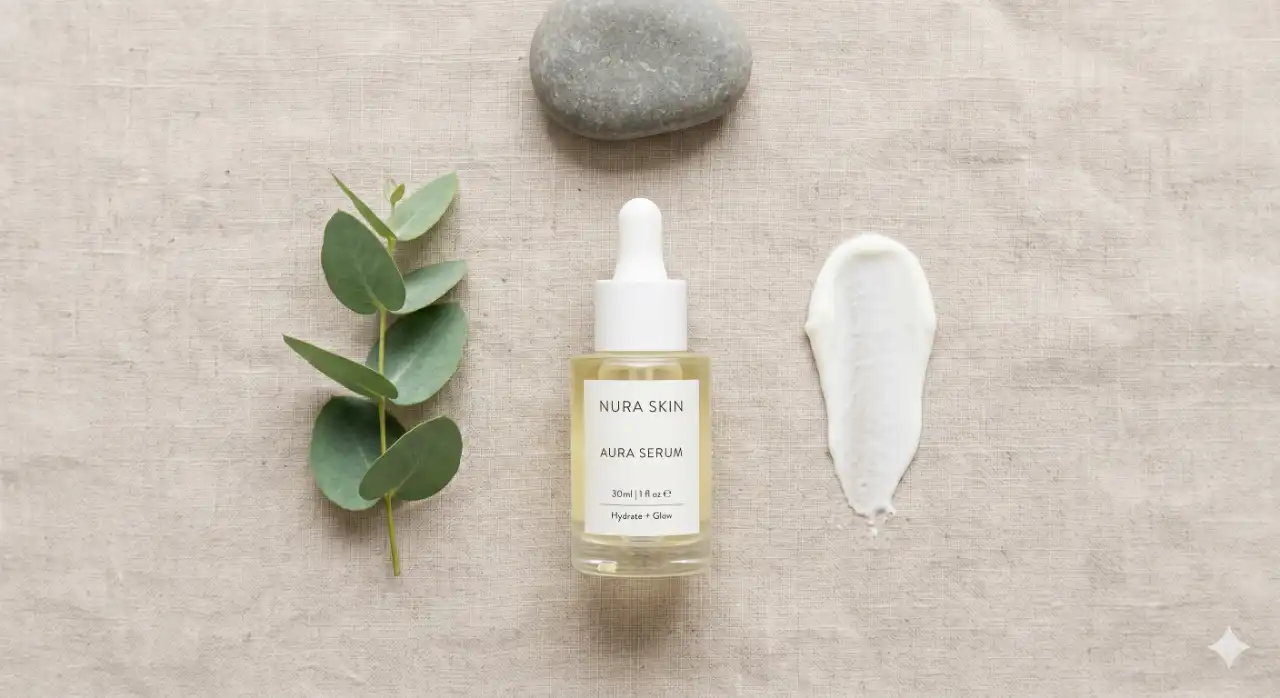
"A perfectly organized, top-down flat lay photograph of [INSERT PRIMARY PRODUCT, e.g., a modern minimalist skincare serum bottle]. The bottle is placed perfectly in the center on a textured beige linen fabric. Arranged neatly around the bottle are complementary elements: fresh green eucalyptus leaves, a smooth river stone, and a smear of white lotion. Lighting is overhead and extremely soft, casting almost no shadows to maintain a clean, airy look. Geometric composition, minimalist aesthetic, shot from exactly 90 degrees directly above. High end editorial magazine style, crisp details, natural color grading."
Why This Works:
The phrase "top-down flat lay" immediately locks in the camera angle. The instruction for "exactly 90 degrees directly above" reinforces this, preventing the AI from generating a weird skewed perspective. By asking for "overhead and extremely soft lighting," you eliminate distracting shadows that can ruin the clean geometry of a flat lay. Specifying the exact complementary items (eucalyptus, stone, lotion smear) ensures the composition looks intentionally designed rather than randomly thrown together.
Customization Tips:
· Play with the arrangement style: "organized neatly in a grid" or "scattered organically."
· Adjust the background texture: "white marble countertop," "distressed wood," or "pastel pink seamless paper."
Prompt 5: The Hyper-Realistic Macro Detail
When you want to emphasize the quality, craftsmanship, or ingredients of your product, you need to get close. Macro photography focuses on tiny details that the naked eye might miss, screaming premium quality.
The Prompt:
"An extreme macro close-up photograph of [INSERT PRODUCT DETAIL, e.g., the textured stitching on a premium leather hiking boot]. The camera is incredibly close, focusing strictly on the intricate texture of the full-grain leather and the heavy-duty waxed thread. The background is completely out of focus, melting into a smooth, creamy blur. Sidelit with a crisp, hard light to emphasize the deep ridges and texture of the materials. Shot with a 100mm macro lens, f/2.8 aperture. Photorealistic, tactile, ultra-high resolution, highlighting craftsmanship."

Why This Works:
Macro photography is all about texture. By explicitly mentioning "extreme macro close-up" and a "100mm macro lens," you set the physical parameters of the shot. The real magic in this prompt, however, is the lighting instruction: "sidelit with a crisp, hard light." If you light a textured surface from the front, it looks flat. Lighting it from a harsh side angle creates micro-shadows in every groove and bump, making the image feel three-dimensional and intensely tactile.
Customization Tips:
· Use this for food: "macro shot of condensation dripping down an icy glass."
· Use this for jewelry: "macro shot highlighting the sharp facets of a diamond ring catching a glimmer of light."
Best Practices for Tweaking and Refining Gemini Outputs
Even with perfect prompts, AI generation is an iterative process. You rarely get the perfect shot on the first generation. Here is how you act like a true art director to refine your Gemini outputs:
1. Lock in the Vibe, Change the Subject
Once you find a prompt formula that perfectly matches your brand's aesthetic (for example, a specific lighting setup on a marble counter), save it as a template. You can then swap out the core product without changing the rest of the prompt. This ensures visual consistency across your entire product catalog, which is vital for professional branding.
2. Address AI Artifacts Immediately
Sometimes Gemini will generate a coffee cup with two handles, or text that looks like alien hieroglyphics. Do not try to fix everything at once. If the lighting is perfect but the product is warped, you can try variations or use the prompt: "Keep the exact lighting and background, but ensure the geometry of the [product] is perfectly symmetrical and flawless."
Alternatively, remember that AI images are just raw materials. It is highly recommended to take your generated images into Photoshop to clone out strange artifacts or overlay your actual product label.
3. Avoid Text if Possible
AI models still struggle with spelling out brand names perfectly on packaging. The most efficient workflow is to prompt Gemini to create a blank, unbranded product (e.g., "a blank white cosmetic tube"). Once the stunning, photorealistic image is generated, you can easily use graphic design software to map your actual logo or label onto the blank surface. This guarantees your branding is pixel-perfect while utilizing the AI's incredible lighting and environmental design.
4. Play with Aspect Ratios
Don't forget to tell Gemini what shape you want the image. If you need a hero image for a website, add "16:9 aspect ratio" or "widescreen horizontal format" to the end of your prompt. For Instagram Stories or TikTok covers, use "9:16 aspect ratio" or "vertical portrait format."
How to Scale Your Workflow and SEO Strategy
Generating amazing images is only half the battle. If you are producing content for a website, you need to ensure those images are optimized for search engines so they can drive organic traffic to your store.
Here is a quick checklist for optimizing your AI product photography: - Never upload raw files: AI generators often produce heavy PNG files. Compress them to WebP or modern JPEG formats to ensure your page load speeds remain fast. - Rename your files: Before uploading, change the filename from something like gemini_image_7483.jpg to a descriptive, keyword-rich name like matte-black-coffee-mug-lifestyle.jpg. - Use Alt Text: Write descriptive alt text for every image. This not only helps visually impaired users but also gives Google critical context about your page content.
If you are serious about managing a digital presence, streamlining your workflow, and keeping your website's technical SEO in top shape, you need the right backend tools. When managing numerous images, compressing media, checking site speeds, and monitoring SEO metrics, having an all-in-one toolkit is a game changer. We highly recommend checking out Zero Server Tools to manage your digital assets, analyze your web performance, and ensure that the beautiful images you generate are actually helping your site rank higher on Google.
Conclusion
We are standing at the edge of a creative revolution. The democratization of high-end commercial photography means that the playing field between massive corporations and solo entrepreneurs has been leveled. You no longer need a massive budget to have beautiful, cohesive, and compelling brand imagery.
By mastering these five core Gemini prompts—the minimal studio shot, the aspirational lifestyle setting, the dramatic low-key setup, the organized flat lay, and the tactile macro shot—you equip yourself with a complete virtual photo studio.
Remember, Gemini is a tool, not a magician. It requires a director. The more precise you are with your vocabulary regarding lighting, camera lenses, and mood, the more breathtaking your results will be. Stop treating AI like a search engine and start speaking to it like an expert photographer.
Frequently Asked Questions (FAQs)
Q1: Can Google detect if my product photos are AI-generated, and will it hurt my SEO?
A: Google's primary concern is user experience and content helpfulness. While Google has tools to detect AI generation (like SynthID watermarks), they do not inherently penalize images simply because they were created with AI. As long as the images are high-quality, relevant to the text, load quickly, and have proper alt text, they can rank just as well as traditional photographs. Always ensure your content serves the user intent.
Q2: How do I get my actual, physical product to look exactly right in an AI image?
A: This is the biggest challenge with AI generation. Since Gemini cannot "see" your physical product, it generates a conceptual representation based on your text. The professional workaround is to use Gemini to generate breathtaking backgrounds and environments with a placeholder object. Then, take a simple photo of your actual product against a green screen or white wall, remove the background, and composite your real product into the AI-generated environment using a tool like Photoshop.
Q3: Are images generated by Gemini copyright-free? Can I use them commercially?
A: Generally, images generated entirely by AI cannot currently be copyrighted by the prompter in many jurisdictions (including the US), because they lack human authorship in the traditional sense. However, Google allows you to use images generated by Gemini for commercial purposes. You are free to use them in ads, on your website, and in social media campaigns. Always stay updated on the latest Terms of Service, as AI legislation is rapidly evolving.
Q4: Why do my AI images always look somewhat "fake" or "plastic"?
A: The "plastic" look usually comes from an over-reliance on generic adjectives or a lack of lighting instructions. If you ask for a "perfect product photo," the AI leans into ultra-smooth, flawless textures that look unnatural. To fix this, introduce words that add reality: "film grain," "subtle imperfections," "textured," "dust particles," and specify a realistic lens and aperture (like a 50mm lens). Lighting descriptors like "natural sunlight" also help ground the image in reality.
Q5: Can I use these exact same prompts in Midjourney or ChatGPT (DALL-E 3)?
A: Absolutely! While this guide is tailored to Gemini's excellent natural language processing, the core principles of photographic prompting—Subject, Setting, Lighting, Camera Details, and Mood—are universal across all major AI image generators. You might find that Midjourney requires slightly more technical styling keywords, whereas DALL-E and Gemini are better at understanding conversational, descriptive paragraphs. Experimenting with these prompts across different platforms is a great way to see which AI model best suits your brand's specific aesthetic.